Product comparisons built on facts 52 comparisons, open criteria and named sources

ProductPick

Best home printer 2026

Our top pick for the best home printer is the Epson EcoTank ET-2850, because Expert Reviews puts its running cost at 0.2p per black page and 0.4p per colour page while it still prints, copies and scans on both sides of the paper. The cheapest colour printer here is the Epson EcoTank ET-1810 at £139.99, which only prints. The ranking is our own comparison of independent reviews and the manufacturers' figures.

We don't test the products ourselves. The scores are based on manufacturer information, independent tests and customer reviews, weighted by open criteria. How we compared

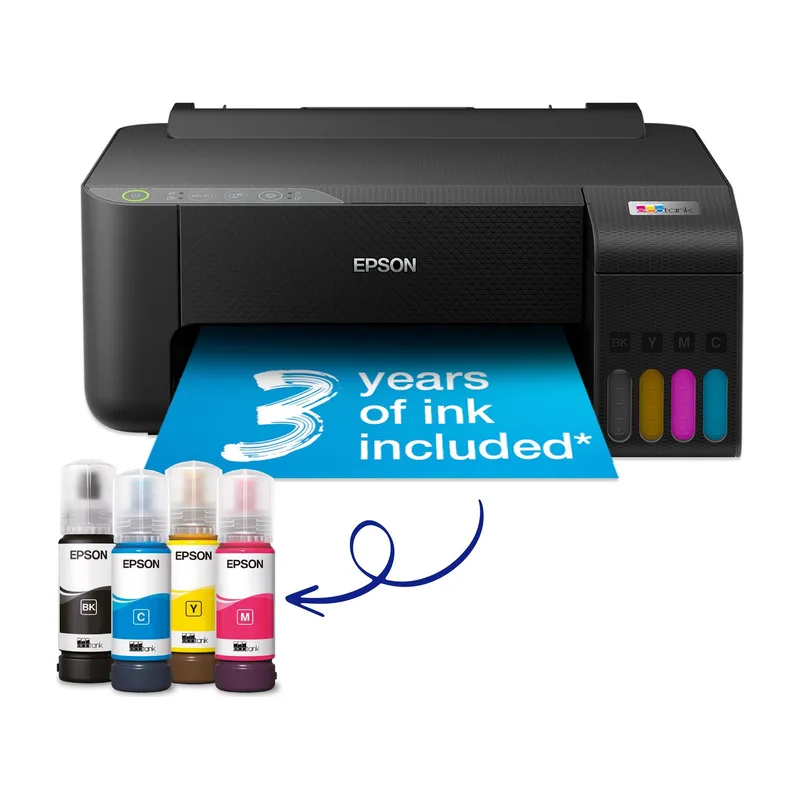
Epson EcoTank ET-1810

Best value

Epson EcoTank ET-1810

6.9out of 10

Suits you if you only need a cheap-to-run printer for documents and the odd colour page, with no scanner needed.

  • Cheapest printer in the comparison
  • 0.2p mono and 0.4p colour per page
  • Epson quotes 3,600 black pages from the starter bottles
£139.99 at Epson UKView price at Epson UK

More recommendations

The ranking: all 5 home printers

  1. 1Best valueEpson EcoTank ET-1810Suits you if you only need a cheap-to-run printer for documents and the odd colour page, with no scanner needed.6.9out of 10£139.99View price at Epson UK
  2. 2Our top pickEpson EcoTank ET-2850Suits you if you print every week, want scanning and automatic double-sided printing, and do not mind paying more upfront to spend almost nothing on ink.6.9out of 10£299View price at Euronics
  3. 3Best for photosCanon Pixma G650Suits you if photographs and colour matter more than speed, and you can wait for pages.6.3out of 10£279.99View price at Premier Ink
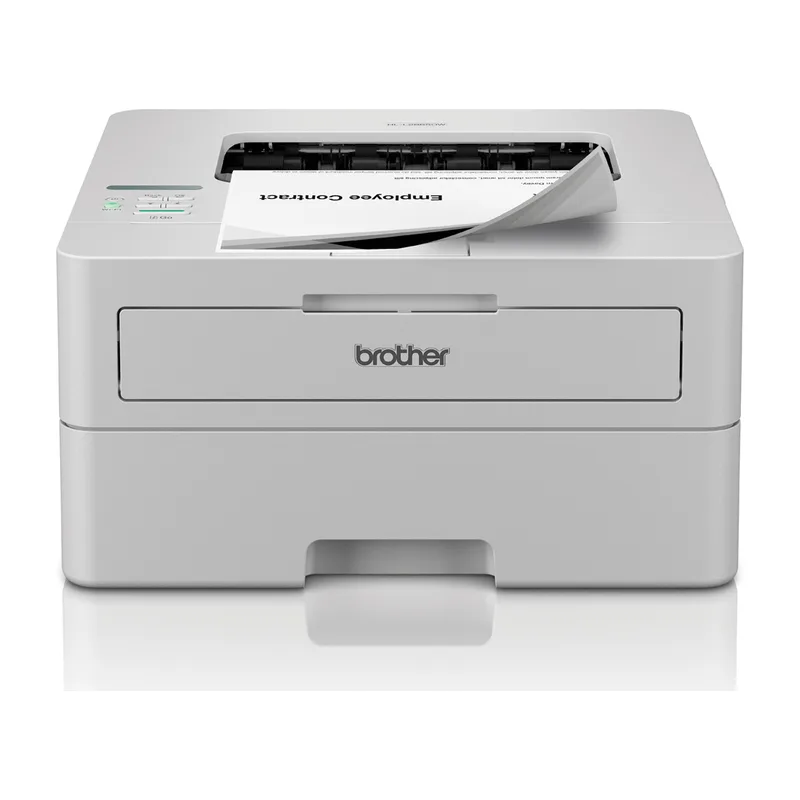
  4. 4Best for black and white documentsBrother HL-L2865DWSuits you if almost everything you print is black text, you want pages out in seconds and you never need colour or a scanner.6.0out of 10£139.86View price at CartridgeSave
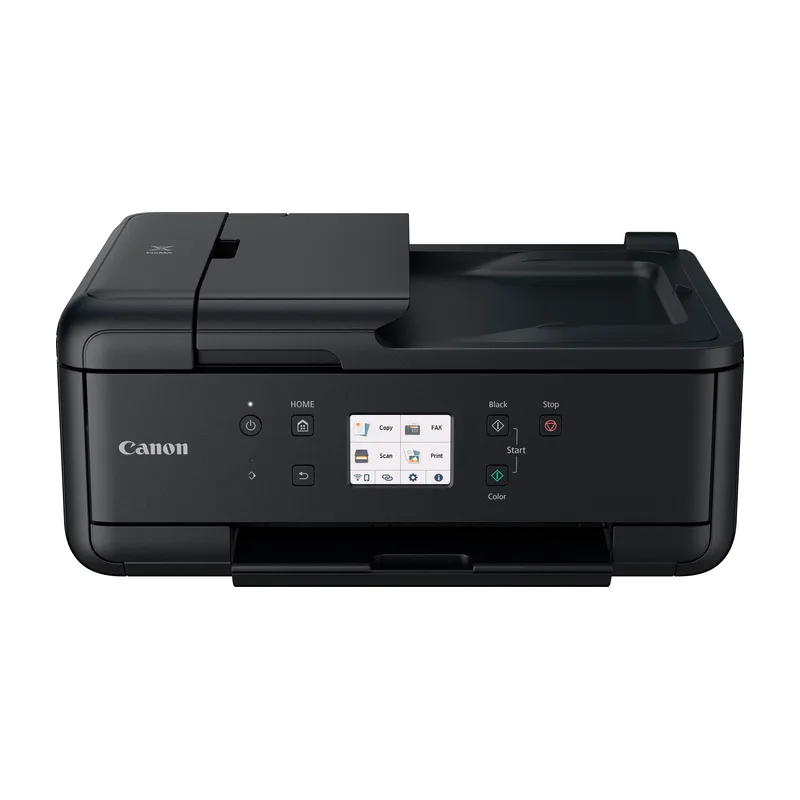
  5. 5Canon Pixma TR7650Suits you if you print only now and then but want a document feeder, fax and double-sided copies, and accept high cartridge prices.5.6out of 10£179.02View price at CartridgeSave

Running cost splits this group in two. Expert Reviews measured the two EcoTank models at 0.2p per black page and 0.4p per colour page, against about 4p and 9p for the cartridge-based Canon Pixma TR7650. Over 1,000 black pages that is £2 against £40. The TR7650 is £119.98 cheaper to buy than the ET-2850, so the tank printer pays that gap back after roughly 3,200 black pages, or about 1,400 colour pages. Anyone who prints a handful of pages a month will never reach that point. The Brother HL-L2865DW is the outlier. It is a black and white laser that prints 34 pages a minute on one side according to Brother, against 9.7 pages a minute for the ET-2850 as Expert Reviews measured it. It costs £139.86, but a high-yield toner cartridge is listed by TechRadar at £96 for 3,000 pages, which is 3.2p a page before the drum. The 3,600 black pages that come in the ET-1810 box would cost about £115 in toner alone. The Canon Pixma G650 is the one to choose for photographs: six inks and a cost of 1p per colour page, but only 3.4 pages a minute for black text in Expert Reviews' 2021 measurements. Colour and photo-heavy households should read that entry first; households that print mostly letters and forms will find the two Epson tank printers a better fit.

Every model in detail

Epson EcoTank ET-1810

Rank 1 of 5Best value

Epson EcoTank ET-1810

6.9out of 10

Suits you if you only need a cheap-to-run printer for documents and the odd colour page, with no scanner needed.

£139.99 at Epson UK, 20 November 2026View price at Epson UKPrices change, so please check the price with the retailer.

The ET-1810 is the lowest-priced tank printer on the list and shares the top running-cost score. Expert Reviews measured 0.2p per black page and 0.4p per colour page from refill bottles, and Epson says the starter bottles cover 3,600 black or 6,500 colour pages. At £139.99 from Epson UK it undercuts the ET-2850 by £159.01.

The saving comes from features. It cannot scan or copy, has no screen and duplexes only by hand, so a family that scans school forms will need the ET-2850. It is also a little slower than the dearer Epson: 9.2 pages a minute for black text in Expert Reviews' 2022 measurements.

Pros

  • Cheapest printer in the comparison
  • 0.2p mono and 0.4p colour per page
  • Epson quotes 3,600 black pages from the starter bottles

Cons

  • No scanner or copier
  • No screen
  • Manual double-sided printing only

How the score was calculated

  • Running cost per page (30 %)95/100
  • Print speed (15 %)50/100
  • Print quality and colour (15 %)60/100
  • Features and paper handling (15 %)30/100
  • Upfront price (15 %)90/100
  • Build and ease of use (10 %)55/100
Read the full assessment of Epson EcoTank ET-1810
Running cost per page95/100

The 2022 review prices a refill at 4,500 black pages or 7,500 colour pages per bottle, which is where the 0.2p and 0.4p figures come from. Epson's UK page lists 65 ml tanks and 3,600 and 6,500 pages in the box. The Canon Pixma G650 costs about twice as much per black page and two and a half times as much per colour page, which is still tiny beside the TR7650.

Print speed50/100

Expert Reviews recorded 9.2 pages a minute for black text, 2.8 pages a minute for colour and 14 seconds to the first page. Six 10 x 15 cm photos took more than 15 minutes at high settings. Epson's ISO figures are 10 and 5 pages a minute. The ET-2850 is only slightly quicker, so the real speed gap in this group is between tank printers and the Brother laser.

Print quality and colour60/100

The reviewer describes the print quality as decent, and Epson lists the four inks as dye-based. Six 10 x 15 cm photos took more than 15 minutes in the same review, which suggests it is not meant for pictures. Photograph buyers are pointed to the Canon Pixma G650 for better colour.

Features and paper handling30/100

Print only. There is no scanner, copier or screen, a single 100-sheet rear tray that is left exposed, and manual duplex. The Epson Smart Panel app can scan or copy from a phone, according to Epson. It is the least equipped model here, which is the main reason it does not rank higher.

Upfront price90/100

Epson's UK shop listed it in stock on 19 November 2026 at a reduced price, down from the £189.99 shown on the same page. A second retailer listed it as out of stock at a higher price. The score uses the in-stock Epson price.

Build and ease of use55/100

Dimensions are 375 x 347 x 169 mm and the weight is 2.9 kg, per Epson. Epson gives 12 months carry-in or 30,000 pages as the warranty. Expert Reviews calls it affordable to buy and run, and notes the app has hidden functions such as sending a photographed document to the printer.

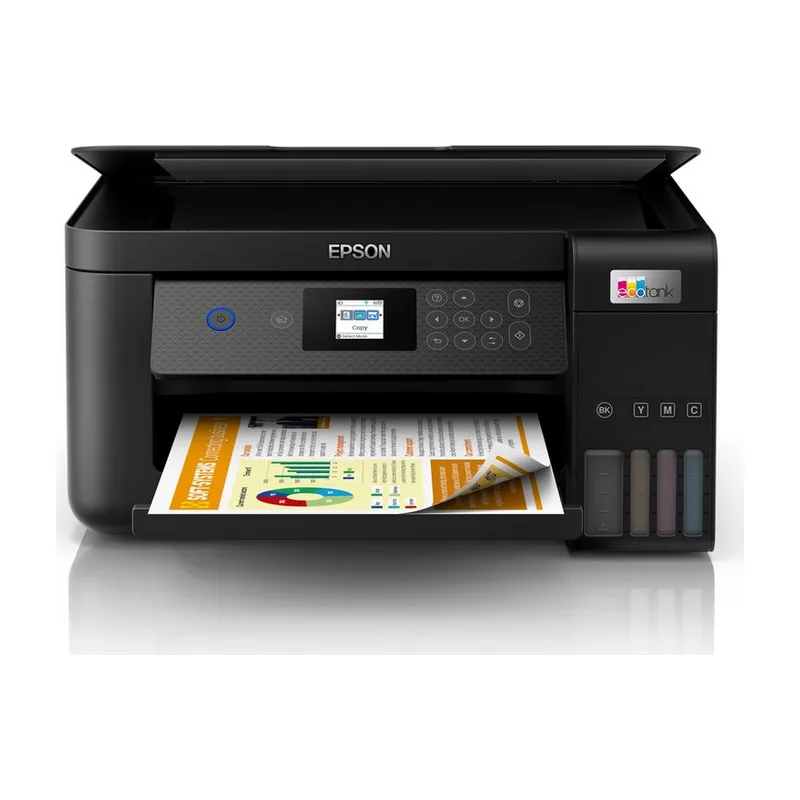
Epson EcoTank ET-2850

Rank 2 of 5Our top pick

Epson EcoTank ET-2850

6.9out of 10

Suits you if you print every week, want scanning and automatic double-sided printing, and do not mind paying more upfront to spend almost nothing on ink.

£299 at Euronics, 20 November 2026View price at EuronicsPrices change, so please check the price with the retailer.

The ET-2850 comes first because it is the only model here that combines the lowest measured ink cost with a full feature set. Expert Reviews puts it at 0.2p per black page and 0.4p per colour page, and its review headline says it prints thousands of pages straight from the box. It also scans, copies and prints on both sides automatically, which the cheaper ET-1810 cannot.

The cost is the entry price. At £299 from Euronics it is the most expensive printer in this comparison, and it is slower than the Brother HL-L2865DW by a wide margin. It has four inks rather than the six of the Canon Pixma G650, so photographs are the weaker side.

Pros

  • Lowest measured ink cost of the five, 0.2p mono and 0.4p colour
  • Scans, copies and prints double-sided automatically
  • Works from Windows without installing drivers, according to Expert Reviews

Cons

  • Most expensive model in the comparison
  • 9.7 pages a minute for black text, slow for a laser buyer
  • Four inks, so photo quality trails the Canon Pixma G650
  • No document feeder

How the score was calculated

  • Running cost per page (30 %)95/100
  • Print speed (15 %)55/100
  • Print quality and colour (15 %)65/100
  • Features and paper handling (15 %)70/100
  • Upfront price (15 %)35/100
  • Build and ease of use (10 %)70/100
Read the full assessment of Epson EcoTank ET-2850
Running cost per page95/100

Expert Reviews measured 0.2p per black page and 0.4p per colour page in its July 2023 review, the joint lowest figure among the five. Its review lists two black bottles rated at 14,000 pages each and one bottle each of cyan, magenta and yellow at 5,200 pages, while Epson's UK page quotes 7,500 pages for black and 6,000 for each colour, so the exact yield depends on the bottle set and the way it is counted.

Print speed55/100

Expert Reviews recorded 9.7 pages a minute for standard black text and 11 seconds to the first page, rising to 16.5 pages a minute in draft mode. Mixed colour pages dropped to 2.9 pages a minute, and a 6x4 inch photo took well over two and a half minutes. Epson itself quotes up to 10.5 pages a minute. That is slower than a laser, and the review lists being slower than cartridge printers as a drawback.

Print quality and colour65/100

The reviewer calls the prints good quality but says four colours are not ideal for photographs, and points readers wanting better pictures to the six-ink Canon Pixma G650. For letters, forms and school work the black ink is the part that matters, and the review lists no complaint about text.

Features and paper handling70/100

Print, copy and scan are all there, with automatic double-sided printing, Wi-Fi, Wi-Fi Direct and a 3.7 cm colour screen according to Epson. There is no document feeder and no fax. The 100-sheet rear tray is the same size as the ET-1810 and the G650, and the Canon TR7650 offers a 20-sheet feeder and a fax that this Epson lacks.

Upfront price35/100

The only in-stock UK price we could confirm on 19 November 2026 was at Euronics. Laptops Direct showed a lower price in its page data but no stock status, so it is not used here. Compared with the ET-1810 it adds £159.01 for scanning, copying, a screen and automatic duplex.

Build and ease of use70/100

Expert Reviews says it printed from Windows without installing any software, and it works with the Epson Smart Panel app. Weight and warranty length are not stated on the Epson UK page, so neither is scored.

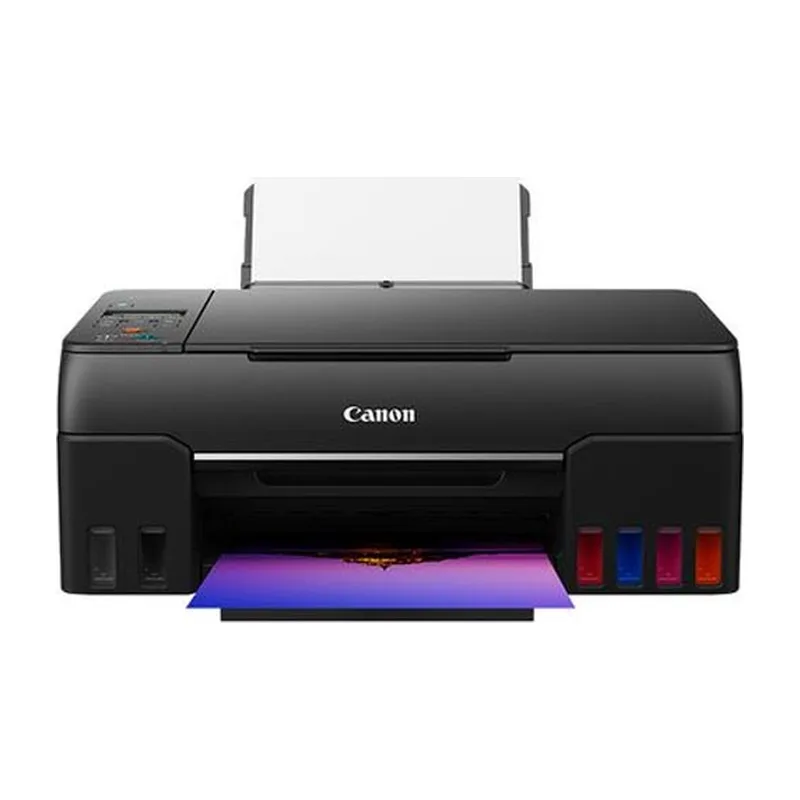
Canon Pixma G650

Rank 3 of 5Best for photos

Canon Pixma G650

6.3out of 10

Suits you if photographs and colour matter more than speed, and you can wait for pages.

£279.99 at Premier Ink, 20 November 2026View price at Premier InkPrices change, so please check the price with the retailer.

Photo quality gives the G650 its place. It is the only six-ink printer here, and Expert Reviews' 2021 verdict is that it prints great photos at running costs of 0.4p per black page and 1p per colour page. In its award list the reviewer names it the printer for cheap photo printing.

You pay in time. Expert Reviews measured 3.4 pages a minute for black text and over 30 seconds to the first page, against 9.7 pages a minute for the ET-2850. At £279.99 from Premier Ink it is also £19.01 cheaper than the ET-2850 but still the second most expensive model.

Pros

  • Six inks and the best photo output here, per Expert Reviews
  • 0.4p mono and 1p colour per page
  • Canon quotes 8,000 colour pages from the box

Cons

  • 3.4 pages a minute for black text
  • Manual duplex and no feeder
  • Review dates from 2021

How the score was calculated

  • Running cost per page (30 %)90/100
  • Print speed (15 %)20/100
  • Print quality and colour (15 %)90/100
  • Features and paper handling (15 %)50/100
  • Upfront price (15 %)42/100
  • Build and ease of use (10 %)55/100
Read the full assessment of Canon Pixma G650
Running cost per page90/100

Canon quotes 3,700 black pages or 8,000 colour pages from the bottles in the box, and Expert Reviews priced each replacement bottle at £14. Its figures are 0.4p mono and 1p colour, set beside 3.4p and 6.2p for the cartridge-based Canon Pixma TS8350 in the same review. The G650 is a little dearer per page than the Epson tank models because it carries six inks.

Print speed20/100

This is the slowest printer in the group: 3.4 pages a minute for black, 2.2 for colour and 1.7 for double-sided colour, with the first page taking more than 30 seconds. The same review lists 10.4 pages a minute for black on the Canon G7050, so the slowness is specific to this model rather than to Canon tank printers.

Print quality and colour90/100

Expert Reviews calls the photo output a major improvement on earlier MegaTank models, though copy and scan quality were weaker, with washed-out colour copies. Six inks give the G650 an edge over the four-ink Epson models for pictures, which is why the reviewer recommends it to readers who want better photographs from the ET-2850 or ET-2830.

Features and paper handling50/100

It prints, copies and scans, but has no automatic document feeder, manual duplex only and a 100-sheet rear feeder. Connectivity is USB and Wi-Fi, with AirPrint for Mac and no Ethernet or printing from USB drives. The ET-2850 adds automatic duplex and a screen, which the G650 lacks.

Upfront price42/100

The in-stock price on 19 November 2026 came from Premier Ink. The 2021 review price was £235, so the printer now costs noticeably more than the reviewed price. We could not confirm stock at the larger high-street shops, which block automated checks.

Build and ease of use55/100

Expert Reviews lists dimensions of 445 x 340 x 167 mm and a weight of 6.6 kg. It calls the scanner and copier mediocre. The 2021 review is the oldest in this comparison, so firmware and app changes since then are not covered.

Brother HL-L2865DW

Rank 4 of 5Best for black and white documents

Brother HL-L2865DW

6.0out of 10

Suits you if almost everything you print is black text, you want pages out in seconds and you never need colour or a scanner.

£139.86 at CartridgeSave, 20 November 2026View price at CartridgeSavePrices change, so please check the price with the retailer.

Speed is what sets the HL-L2865DW apart. Brother quotes 34 pages a minute on one side and 16 sides a minute double-sided, with the first page out in 8.5 seconds, and TechRadar's reviewer timed the duplex figure with a stopwatch. Nothing else here gets close to the 9.7 pages a minute that Expert Reviews measured on the ET-2850.

It prints in black only and cannot scan or copy, which is why it does not take first place. Toner is also the dearer way to run a printer: TechRadar lists a 3,000-page cartridge at £96 and a drum at £106 for 15,000 pages, against fractions of a penny for the EcoTank models.

Pros

  • 34 pages a minute one-sided and 16 sides a minute duplex, per Brother
  • Ethernet, dual-band Wi-Fi and AirPrint
  • 250-sheet tray

Cons

  • Black and white only
  • Cannot scan or copy
  • Toner and drum cost far more per page than ink tank refills
  • Small display, no USB host port

How the score was calculated

  • Running cost per page (30 %)40/100
  • Print speed (15 %)95/100
  • Print quality and colour (15 %)40/100
  • Features and paper handling (15 %)55/100
  • Upfront price (15 %)90/100
  • Build and ease of use (10 %)60/100
Read the full assessment of Brother HL-L2865DW
Running cost per page40/100

TechRadar does not state a cost per page, so this score rests on its listed prices: £96 for the 3,000-page high-yield cartridge and £106 for a drum rated at 15,000 pages. Brother's UK page also lists a 5,000-page cartridge and a 1,500-page starter cartridge in the box, while TechRadar's US-based review says 1,200. The starter figure therefore varies by market. Against the Epson EcoTank ET-1810 the running cost is far higher, close to the 4p black figure for the Canon Pixma TR7650, and without colour.

Print speed95/100

Brother rates it at 34 pages a minute single-sided and 16 sides a minute double-sided, and TechRadar confirmed the duplex rate with a stopwatch while calling the simplex figure accurate enough. Ten black pages take about 18 seconds at Brother's rated one-sided speed, against about three minutes at the 3.4 pages a minute Expert Reviews measured on the Canon Pixma G650. That makes it the fastest model in the comparison, and the reason a laser can beat tank printers on a household's busiest day.

Print quality and colour40/100

TechRadar lists photos lacking definition as a drawback, and there is no colour at all, so this model is scored low on a criterion that rewards colour and photo output. Text is the strength of laser printing in general, but the review extract we could read does not give a specific text-quality finding, so nothing more is claimed.

Features and paper handling55/100

It prints only. Positives are automatic duplex, a 250-sheet tray, Ethernet, dual-band Wi-Fi, Wi-Fi Direct and Apple AirPrint. Drawbacks listed by TechRadar are the small display, no USB host port and trouble duplexing heavy paper. The ET-2850 has a scanner and the Canon Pixma TR7650 has a feeder, so this printer ranks mid-table for features.

Upfront price90/100

The price we could confirm in stock on 19 November 2026 was at CartridgeSave, while Brother's own UK store page showed a higher price and no stock. Because the cheaper shop is the only one with confirmed stock, the score follows that price.

Build and ease of use60/100

Dimensions without the carton are 356 x 360 x 183 mm and the weight is 7.1 kg, according to Brother. TechRadar's reviewer set it up with an iPhone and a MacBook. The manufacturer page does not state the warranty length, and TechRadar mentions a small screen and no USB host port.

Canon Pixma TR7650

Rank 5 of 5

Canon Pixma TR7650

5.6out of 10

Suits you if you print only now and then but want a document feeder, fax and double-sided copies, and accept high cartridge prices.

£179.02 at CartridgeSave, 20 November 2026View price at CartridgeSavePrices change, so please check the price with the retailer.

The TR7650 has the most complete feature list here: print, scan, copy and fax, a 20-sheet feeder and automatic duplex. Expert Reviews calls it a good all-rounder for a light office workload, and its photo output is rated surprisingly good. At £179.02 from CartridgeSave it is the cheapest of the multifunctions.

Cartridges are the catch. Expert Reviews puts running costs at about 4p per black page and 9p per colour page, roughly twenty times the ET-2850 for black, and calls the cartridge refills pricey. The reviewer also found the build fragile and the text quality disappointing, which is why it finishes last.

Pros

  • Document feeder, fax and automatic duplex
  • Photo output praised by Expert Reviews
  • Cheapest multifunction in the group

Cons

  • About 4p per black page and 9p per colour page
  • Fragile build and disappointing text, per Expert Reviews
  • Slow time to first page

How the score was calculated

  • Running cost per page (30 %)30/100
  • Print speed (15 %)55/100
  • Print quality and colour (15 %)65/100
  • Features and paper handling (15 %)90/100
  • Upfront price (15 %)76/100
  • Build and ease of use (10 %)40/100
Read the full assessment of Canon Pixma TR7650
Running cost per page30/100

The reviewer prices the XXL pigment black cartridge at £25 for 600 pages, which gives the 4p figure; colour comes out around 9p. Other cartridge yields and prices are not stated in the review. A household printing 2,000 black pages a year would spend about £80 on black alone at that rate, where the ET-1810 would cost about £4.

Print speed55/100

Black text came in at 10.6 pages a minute in Expert Reviews' June 2024 review, a little ahead of the Epson tank models. The time to the first page was at least twice as long as the other printers in the same comparison, and six 6x4 inch photos took under four and a half minutes.

Print quality and colour65/100

Photos are the highlight and text is the weakness: the reviewer lists disappointing text quality as a drawback, which matters for a printer most buyers will use on documents. The score is level with the ET-2850, where text has no complaint but photos are only fair.

Features and paper handling90/100

It carries 100 sheets in the bottom tray, 20 sheets in a rear tray for thicker stock, a 20-sheet automatic document feeder, automatic duplex and fax. No other printer in this group has a document feeder. That depth is what earns the top score in this category.

Upfront price76/100

CartridgeSave listed it in stock on 19 November 2026. A second retailer showed it out of stock at a higher price, and Laptops Direct showed a lower price without stock information, so only the confirmed price is used.

Build and ease of use40/100

Expert Reviews lists fragile construction as a drawback, along with the small 100-sheet main tray. Dimensions are 438 x 350 x 190 mm and the weight is not stated. The reviewer suggests the Brother MFC-J4540DW for a stronger office setup, though that model is outside this comparison.

All home printers side by side

Click a column heading to sort.

Epson EcoTank ET-1810Epson EcoTank ET-18106.9£139.99Ink tank printer0.2p / 0.4p per page9.2 ppm measuredPrint only
Epson EcoTank ET-2850Epson EcoTank ET-28506.9£299Ink tank multifunction printer0.2p / 0.4p per page9.7 ppm measuredPrint, copy, scan
Canon Pixma G650Canon Pixma G6506.3£279.99Six-ink MegaTank multifunction printer0.4p / 1p per page3.4 ppm measuredPrint, copy, scan
Brother HL-L2865DWBrother HL-L2865DW6.0£139.86Mono laser printernot stated by TechRadar (toner £96 per 3,000 pages, drum £106 per 15,000); no colour34 ppm rated, 16 sides per minute duplexPrint only
Canon Pixma TR7650Canon Pixma TR76505.6£179.02Five-cartridge inkjet multifunction printerabout 4p / about 9p per page10.6 ppm measuredPrint, copy, scan, fax

In depth: home printers explained

Expert Reviews' measured speeds sit close to the makers' figures except on the Epson ET-1810

Expert Reviews' measured speeds sit near the makers' ISO-style figures. Its measurement for the ET-2850 was 9.7 pages a minute, close to the 10.5 pages a minute Epson quotes. The ET-1810 recorded 9.2 pages a minute against Epson's 10 on the ISO scale, but Epson also lists a separate 33 pages a minute figure for plain paper, which is not an ISO measure.

The two Canon printers separate sharply. The TR7650 was measured at 10.6 pages a minute for black text, and Expert Reviews says its time to the first page was at least twice as long as the other printers in that comparison. The G650 managed 3.4 pages a minute for black and 2.2 for colour, with over 30 seconds to the first page.

Colour speeds are lower everywhere: 2.9 pages a minute on the ET-2850 for mixed text and graphics, 2.8 on the ET-1810, and 2.2 on the G650. Photo timing is slower still. The ET-2850 needed well over two and a half minutes for a single 6x4 inch print, the ET-1810 over 15 minutes for six 10 x 15 cm photos, and the TR7650 under four and a half minutes for six 6x4 inch photos.

The ET-2830 and HP OfficeJet Pro 8122e show what the list leaves out

Two printers in Expert Reviews' award list illustrate the limits of a stock-checked comparison. The Epson EcoTank ET-2830 was reviewed in August 2024 as a consumer ink tank with the pace of a business printer: 13.4 pages a minute for black and 4.5 for colour, against 9.7 and 2.9 for the ET-2850. It has no automatic duplex and no screen, and Epson's UK page showed it out of stock.

The HP OfficeJet Pro 8122e, reviewed in September 2024, shows how a low sticker price can hide a high running cost. Expert Reviews priced it at £90 and quoted about 5.1p per black page and 9.4p per colour page using the 924e cartridges, with colour cartridges at £25 for 800 pages and black at £51 for 1,000. HP's Instant Ink subscription at £5.49 a month covered 100 pages, or 5.5p a page if all were used. We could not confirm any UK stock, so it is outside the ranking.

Both examples reinforce the rule used throughout the page: pages per minute and the sticker price are the easy numbers, and running cost per page is the one that decides the total over several years.

Which printer fits which household, using the quoted figures

A household printing 300 black pages and 50 colour pages a year would spend about 80p on ink at the EcoTank rates, about £16.50 at the TR7650 rates and about £11.70 on the Brother, which prints the black pages only. The yearly bill is under £17 on every option at that volume, so features and purchase price can decide it, which favours the TR7650 or the HL-L2865DW depending on whether you need colour.

A family printing 2,000 black pages and 500 colour pages a year would spend about £6 on the ET-2850, about £125 on the TR7650 and about £78 for black on the Brother, plus nothing for colour that the Brother cannot print. Over three years the TR7650's extra running cost is about £360 more than the Epson, which is three times the gap in purchase price.

A household that prints photographs in volume is the one case where the cheapest ink does not decide it. The G650 is the printer with the best photo output in this comparison, per Expert Reviews, at 1p a colour page, while the TR7650 gives you the feeder and fax at about 9p a colour page. For ordinary documents, the ET-2850 and ET-1810 remain the sensible default.

The Brother's drum is rated for 15,000 pages. At 1,000 pages a year that is 15 years, so for most homes the drum is a one-time cost rather than a regular one, and the toner is the item to budget for.

A cartridge printer can run cheaper than the TR7650 if it takes high-yield XL cartridges

The Canon Pixma TR7650 is not a fair stand-in for every cartridge printer. Expert Reviews' December 2021 review of the Brother MFC-J4540DW put its running costs at 0.7p per black page and 2.7p per colour page with XL cartridges, rated at about 6,000 black pages and 5,000 colour pages. In the same review the HP OfficeJet Pro 9022e was listed at 2.9p and 3.1p. Those figures are far below the TR7650's 4p and 9p, though still above the EcoTank pair.

The Brother is also the quicker machine on paper: 18.5 pages a minute for black text and 7 for colour, with automatic duplex, a 20-sheet document feeder, Ethernet, a 2.3 inch touchscreen and fax. Expert Reviews calls it a truly versatile office printer and notes that colour copies were disappointing.

It is not ranked here because the review is from 2021 and we did not confirm UK stock for the model on 19 November 2026. It is still a useful reference point: a household that wants a document feeder and fax does not have to accept the TR7650's cartridge prices.

The general lesson is that XL cartridges and tank bottles change the sums, while a standard-yield cartridge, such as the HP 924e set at £25 for 800 colour pages in the 8122e review, can cost more per page than the printer's price suggests. Compare the cost per page from a named reviewer before the sticker price.

How we compared

We compared 5 home printers on sale in the UK, as of 20 November 2026. Each model gets 0–100 points for each criterion below. The score is the weighted average, converted to a scale of 0 to 10. It is based on manufacturers' specifications and manuals, independent tests where they exist, and customer reviews.

  • 30 %Running cost per page

    Ink or toner cost per black and colour page as quoted by independent reviewers for exactly this model, plus the ink included in the box.

  • 15 %Print speed

    Measured pages per minute for black text and time to the first page, with the manufacturer's rated speed only where no measurement exists.

  • 15 %Print quality and colour

    How reviewers rate text, colour graphics and photographs, including whether the printer can print colour at all.

  • 15 %Features and paper handling

    Scanning and copying, automatic double-sided printing, paper tray size, document feeder and connectivity.

  • 15 %Upfront price

    The lowest in-stock UK price we could verify on the checked date, on the same scale for every model.

  • 10 %Build and ease of use

    Setup, controls, screen and build quality as described by reviewers and the manufacturer.

What this comparison does not cover

Independent coverage here comes almost entirely from two sites. Expert Reviews supplies measured speeds and running costs for four of the five models, in reviews dated 2021 (Canon Pixma G650), 2022 (Epson EcoTank ET-1810), 2023 (Epson EcoTank ET-2850) and 2024 (Canon Pixma TR7650), and TechRadar supplies the January 2025 review of the Brother HL-L2865DW, which is based on US pricing. Which? runs the best-known UK printer programme, but the model names and scores sit behind membership on the pages we could read, so nothing from Which? is used for ranking. No customer review counts from Argos, Currys, John Lewis or PriceRunner were gathered, because those sites blocked automated reading or were outside the checking budget. Every placement therefore rests on one independent review plus the manufacturer's own specifications, and the older reviews may not reflect firmware, app or ink-price changes since they were written. Several models readers will meet in shops are outside the list because we could not confirm UK stock on 19 November 2026: the Epson EcoTank ET-2830, the Epson EcoTank ET-2870, the HP OfficeJet Pro 8122e and the Brother DCP-J1140DW. Expert Reviews also names the Canon Pixma TS205 its best home printer at a reviewed price of £70, but gives no running cost for it and we did not check its stock. The local Addrevenue feed held none of these printers and the live product search for advertisers without a relation did not complete, so no buy link is a partner link. Ink and toner prices, subscription terms and warranty lengths change often. Weight and warranty are not stated for several models, and cost per page for the Brother HL-L2865DW is not stated by TechRadar, so that figure here is derived from its quoted cartridge prices.

Commission never affects the score or the ranking. Where quality is comparable, we give preference to models sold by retailers we work with. If a detail is missing, we say so instead of guessing. More about how we compare.

Buying guide: choosing the right home printer

The ink bottle, not the printer, is what you pay for over five years

The best home printer for most households is the one whose ink costs the least, because the price on the box is a one-off and the ink is a bill that keeps coming. Expert Reviews measured the Epson EcoTank ET-2850 and the Epson EcoTank ET-1810 at 0.2p per black page and 0.4p per colour page. The Canon Pixma G650 comes out at 0.4p and 1p. The cartridge-based Canon Pixma TR7650 is about 4p for black and 9p for colour.

Turn those into a thousand pages and the gap is easy to see. A thousand black pages cost £2 on either Epson, £4 on the G650 and about £40 on the TR7650. A thousand colour pages cost £4, £10 and about £90. The Brother HL-L2865DW lands close to the TR7650 for black: TechRadar lists a high-yield cartridge at £96 for 3,000 pages, which is 3.2p a page, and a drum at £106 for 15,000 pages, a further 0.7p, so roughly £39 for a thousand pages.

If you print fewer than a couple of hundred pages a year, none of this matters much and the cheapest printer to buy will do. The calculation changes once the family prints school projects, tickets and forms every week. For that reader the best printer with cheap ink is one of the Epson tank models, and the choice between them is about features rather than ink.

A tank printer is the wrong choice if the printer will sit unused for months and you want the lowest possible outlay. The TR7650 is the cheapest multifunction here at £179.02, and a household printing a few pages a month will take years to notice its cartridge prices.

A tank printer repays its higher price after about 1,000 to 3,000 pages

Break-even points settle the argument better than adjectives. The ET-2850 costs £119.98 more than the TR7650. The TR7650 spends 3.8p more per black page and 8.6p more per colour page, using Expert Reviews' figures, so the Epson pays that difference back after about 3,200 black pages or about 1,400 colour pages.

The ET-1810 is an even quicker payback. It costs £39.03 less than the TR7650, so it is cheaper from day one, though it cannot scan or copy. The Brother HL-L2865DW costs about the same as the ET-1810 at the prices we checked (£139.86 against £139.99), but spends about 3.7p more per black page, so the Epson pulls ahead after roughly 160 pages.

Epson also sells printing by subscription in its ReadyPrint scheme. Expert Reviews listed the plan at £7.99 a month for 300 pages in its 2023 review, which is 2.6p a page. A year on that plan costs £95.88 for 3,600 pages, the same number of black pages Epson puts in the ET-1810's starter bottles. Terms may have changed, but the sum shows why the bottles in the box matter more than the subscription for anyone who prints steadily.

None of this holds if you will never print 1,000 pages. A student who prints about 100 black pages a year would take more than three decades to recover the extra cost of the ET-2850 over the TR7650.

A laser is the quickest, but only for black text

Brother quotes 34 pages a minute on one side and 16 sides a minute double-sided for the HL-L2865DW, with the first page after 8.5 seconds. TechRadar's reviewer timed the duplex figure with a stopwatch. The fastest inkjet in this group, the Canon Pixma TR7650, managed 10.6 pages a minute for black text in Expert Reviews' measurements, and the ET-2850 recorded 9.7.

Ten black pages take about 18 seconds on the Brother at its rated speed, about a minute on either Epson tank printer and about three minutes on the Canon Pixma G650, which Expert Reviews clocked at 3.4 pages a minute. If you print long documents, speed saves real time. If you print three pages at a time, you will mostly notice the first-page delay, where the Brother's 8.5 seconds compares with Expert Reviews' 11 seconds for the ET-2850 and over 30 seconds for the G650.

The catch is that the HL-L2865DW prints in black only, cannot scan or copy, and TechRadar lists photos lacking definition among its drawbacks. It is the right printer for a household whose colour needs are met by a school or a library. It is the wrong printer for anyone who prints a travel itinerary with a map, a child's coloured worksheet or a photograph.

Four inks are enough for documents; six only pay off for photographs

The Canon Pixma G650 is the only six-ink printer in this comparison, and Expert Reviews' 2021 review calls its photo prints great and a major improvement on earlier MegaTank models. The two Epson tank printers use four inks, and Expert Reviews says four colours are not ideal for photographs. It points readers who want better pictures to the G650.

The price of that quality is time and money. The G650 recorded 3.4 pages a minute for black text and over 30 seconds to the first page, and it costs £279.99, £140 more than the ET-1810. A household that prints a handful of photographs a year will be happier spending that difference elsewhere.

Expert Reviews' award list places the G650 as the best printer for cheap photo printing and the TR7650 as the best small office printer for photo printing, so photographers have two routes: the tank printer with six inks, or the cartridge printer with a feeder and fax. Their running costs differ by about nine times for colour, 1p against about 9p.

If your pictures are family snaps for an album and most of the rest is paperwork, the extra inks will go largely unused. The answer is the ET-2850.

Scanning and automatic duplex add £159 to the Epson range

The ET-1810 and the ET-2850 share a 100-sheet rear tray and the same 0.2p and 0.4p measured running cost, yet they sit at opposite ends of the price list. £159.01 separates them at the prices we checked. For that, the ET-2850 adds a scanner and copier, automatic double-sided printing, a 3.7 cm colour screen and a faster measured black speed of 9.7 pages a minute against 9.2.

Whether that is good value depends on what you scan. The ET-1810's Smart Panel app can scan or copy from a phone, according to Epson, which covers an occasional signed form but not a stack of papers. Neither Epson has a document feeder. If you scan multi-page documents regularly, the Canon Pixma TR7650's 20-sheet feeder is the only one in this group, and it also has fax.

Automatic duplex halves paper use for long documents, but it is not on every model. The ET-1810 and the Canon Pixma G650 print double-sided by hand, which means the printer asks you to reload the paper. The ET-2850, the TR7650 and the HL-L2865DW all do it automatically.

Paper capacity is another quiet difference. The Brother's tray holds 250 sheets, against 100 on the Epson and Canon G650 rear trays, and the TR7650 adds a 100-sheet bottom tray and a 20-sheet rear tray for thicker stock.

A printer that is out of stock is not a printer you can buy

On 19 November 2026 several well-reviewed models showed no stock at the shops we could read. Epson's own UK page listed the EcoTank ET-2830 and the ET-2870 as out of stock, and Brother's UK store listed the HL-L2865DW as out of stock at a price far above the in-stock CartridgeSave listing. The HP OfficeJet Pro 8122e and Brother DCP-J1140DW showed no stock at the retailers we could check.

That matters because Expert Reviews rates the ET-2830 as the fastest consumer ink tank printer it has measured, at 13.4 pages a minute for black text. If you find one in stock at a UK shop, the review shows it prices ink at £9.49 for a 65 ml bottle and about 0.2p a black page. We could not confirm it, so it is not in the ranking.

Large retailers including Argos, Currys and Canon's own shop returned access blocks to our automated price checks. A listing on those sites may be in stock when ours say otherwise. Check the shop page, and the delivery estimate, on the day you order.

Price is also a moving target. Expert Reviews recorded £270 for the ET-2850 in 2023, and we saw £299 at Euronics. The ET-1810 was £160 in 2022 and £139.99 now, and the G650 was £235 in 2021 against £279.99 now. A review's price is a clue, not a quote.

Page yields in the box are quoted, not measured, and they differ by source

Ink and toner yields are rated by the manufacturer under standard conditions. Expert Reviews lists the ET-2850's two black bottles at 14,000 pages each and its colour bottles at 5,200 pages each, while Epson's UK page quotes 7,500 pages for black and 6,000 for each colour. The difference could be the bottle set or the counting method; either way, treat both as upper limits.

The Brother HL-L2865DW shows the same effect on a smaller scale. Brother's UK page says the toner cartridge in the box lasts 1,500 pages, while TechRadar's US-based review says 1,200. Replacement toner comes at 1,200, 3,000 and 5,000 pages, with the middle size priced by TechRadar at £96.

For comparing printers, the useful figure is cost per page from a named reviewer, and the useful sanity check is the bottle or cartridge price divided by its rated yield. The TR7650's £25 black cartridge for 600 pages gives about 4.2p, in line with the 4p Expert Reviews quotes. A printer that does not state a cost per page, as with TechRadar's review of the Brother, can still be worked out from the price and yield it lists.

Expert Reviews quotes its yields at 5% page coverage, so dense graphics and photographs use more ink than those figures assume.

Check the date on every review before you trust a price or a speed

The reviews behind this page range from 2021 to 2025. A 2021 measurement of the Canon Pixma G650 is still useful for speed and running cost, because those depend on the hardware and the ink, but it says nothing about the current app, firmware or shop prices. The 2022 ET-1810 review and the 2023 ET-2850 review are older than Epson's current ReadyPrint terms.

Expert Reviews' award list was updated on 1 October 2026, which confirms that these models still appear in its recommendations, though not that the underlying measurements were repeated. The ET-2850 is listed as best inkjet for low running costs, the ET-1810 as best budget ink tank printer, and the TR7650 as best small office printer for photo printing.

Ask three questions before you buy any printer: what does a black and a colour page cost from a named source, will it scan and print double-sided without you standing at the machine, and is it actually in stock today. The five models here answer those questions differently, and the ranking reflects the weights on the page.
Frequently asked questions

What is the best home printer in 2026?

Our top pick is the Epson EcoTank ET-2850, because Expert Reviews measured 0.2p per black page and 0.4p per colour page and it scans, copies and prints double-sided automatically. The ET-1810 is the cheaper alternative if you do not need a scanner. This is our ranking of independent reviews and manufacturer figures, not a lab result of ours.

What is the best printer with cheap ink?

Expert Reviews measured the Epson EcoTank ET-2850 and ET-1810 at 0.2p per black page and 0.4p per colour page, the lowest in this comparison. The Canon Pixma G650 follows at 0.4p and 1p. The Canon Pixma TR7650 is about 4p and 9p, which is roughly twenty times the Epson figure for black.

Is an ink tank printer worth it for home use?

It pays back if you print steadily. The ET-2850 costs £119.98 more than the cartridge-based TR7650, and recovers that after about 3,200 black pages or 1,400 colour pages at Expert Reviews' running costs. If you print under 100 pages a year, the cheaper printer will do.

Is a laser or an inkjet the best printer for home use?

A laser such as the Brother HL-L2865DW is the best printer for home use if you print black text only. Brother quotes 34 pages a minute and the first page after 8.5 seconds. It cannot print colour, scan or copy, so most families will prefer a tank printer with a scanner.

How much does it cost to print a page at home?

It depends on the printer. Expert Reviews puts the Epson tank printers at 0.2p per black page, the Canon Pixma G650 at 0.4p and the Canon Pixma TR7650 at about 4p. Brother toner at TechRadar's quoted £96 for 3,000 pages is 3.2p a page, with a drum adding about 0.7p.

Do I need a printer that scans and copies?

Only if you need those functions. Of the five models here, the ET-2850, G650 and TR7650 print, scan and copy, while the ET-1810 and the Brother HL-L2865DW only print. The TR7650 is the only one with a 20-sheet document feeder. Phones can scan single pages, and Epson says its Smart Panel app can scan or copy from a phone on the ET-1810.

Is automatic double-sided printing worth having?

It is worth having if you print long documents. The ET-2850, TR7650 and HL-L2865DW all do it automatically, while the ET-1810 and the G650 ask you to reload the paper by hand. Brother rates the HL-L2865DW at 16 sides a minute on duplex jobs.

What is the best home printer for photos?

The Canon Pixma G650 is the best home printer for photos in this comparison. It uses six inks, and Expert Reviews calls its photo prints great at 1p a colour page. It is slow, at 3.4 pages a minute for black text and over 30 seconds to the first page.

Do printer subscriptions save money?

Not usually if you print steadily. Expert Reviews listed Epson's ReadyPrint plan at £7.99 a month for 300 pages in 2023, which is 2.6p a page and about £96 a year, compared with 0.2p a black page from bottles. HP's Instant Ink was £5.49 a month for 100 pages in Expert Reviews' 2024 review. Check current terms before you sign.

What is the best home printer UK buyers can get cheaply?

A cheap cartridge printer wins only if you print very little. The ET-1810 costs £139.99 and is rated at 0.2p a black page, so it is already cheaper than the TR7650 at £179.02 before you print anything. Add ink and the tank printer extends its lead quickly.

How long does ink last in an ink tank printer?

Manufacturers quote the starter bottles at 3,600 black and 6,500 colour pages for the Epson EcoTank ET-1810, and Canon quotes 3,700 black or 8,000 colour pages for the Pixma G650. Epson's UK page lists 7,500 black pages and 6,000 pages per colour for ET-2850 bottles. These are rated figures at standard coverage, so dense pages and photographs will use more ink.

Why are some well-known printers missing from the list?

We included only models with a review of the exact model and confirmed UK stock on 19 November 2026. The Epson EcoTank ET-2830, ET-2870 and HP OfficeJet Pro 8122e showed no stock at the shops we could read, so they are not ranked. Expert Reviews' reviews of the ET-2830 and 8122e are discussed in the deeper comparison above.

Sources

More comparisons in Electronics & Computers

Everything in Electronics & Computers