In depth: kids gps watches explained
What the reviews actually found
SafeWise is the most measured of the reviews. Its author used both Xplora watches with a promo code for service supplied by Xplora, checked battery life with minimal use, tested geofences and recorded location error in three settings, giving the XGO3 4 out of 5 and the X6 Play 3.5. Its conclusion was that the XGO3 is the more reliable of the two, and that neither offers precise tracking.
M3 in Sweden reviewed the MT48 in April 2026 and gave it 4.5 out of 5, praising battery, app and the choice of SIM and criticising the USB A lead and the size on small wrists. M3 also gave the X6 Play 4.5 in 2023, but that review is more than three years old and predates SafeWise's harsher location findings.
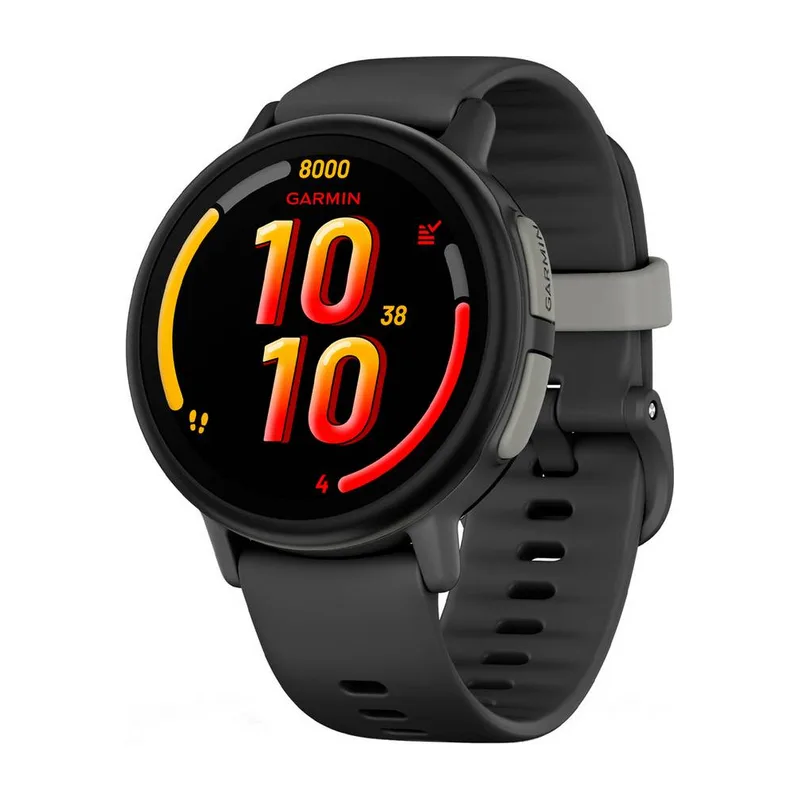
TechRadar and T3 both had children wear the Bounce 2 for weeks. They agree on the parental controls and the screen, and both found the battery short. TechRadar adds the rural signal problem, which is the main reason the Bounce 2 sits third rather than higher.
No reviewer covered all five watches, so the ranking compares results from different reviews. SafeWise's measured distances apply only to the Xplora pair, and M3's verdicts are in words rather than metres. Where the reviews disagree, as with the X6 Play, the newer and more detailed result has been given more weight, and the older one is still mentioned so you can judge for yourself.
XGO3 or X6 Play: the cheaper Xplora is the safer buy
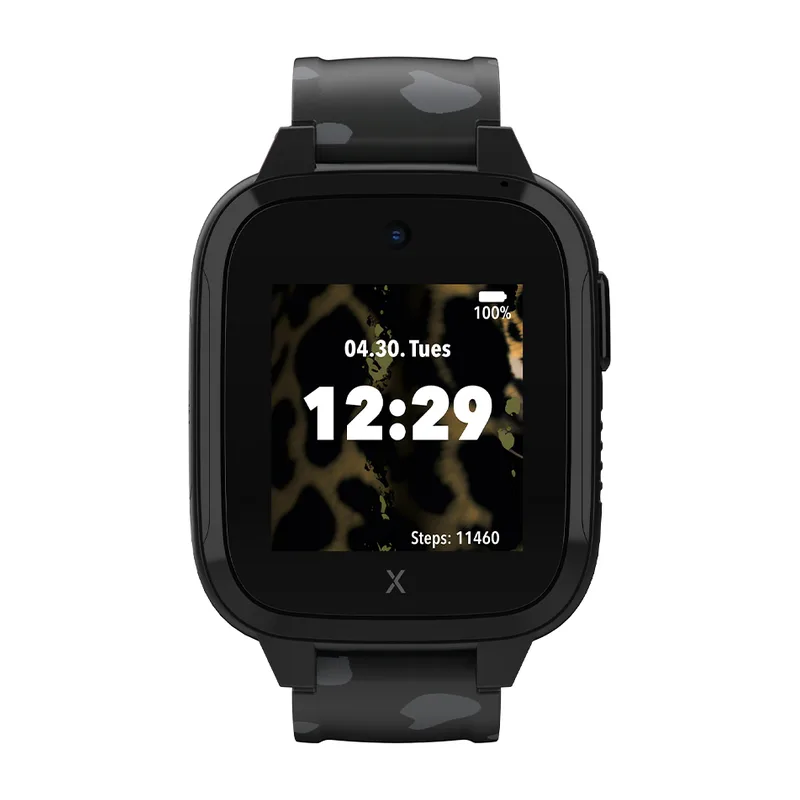
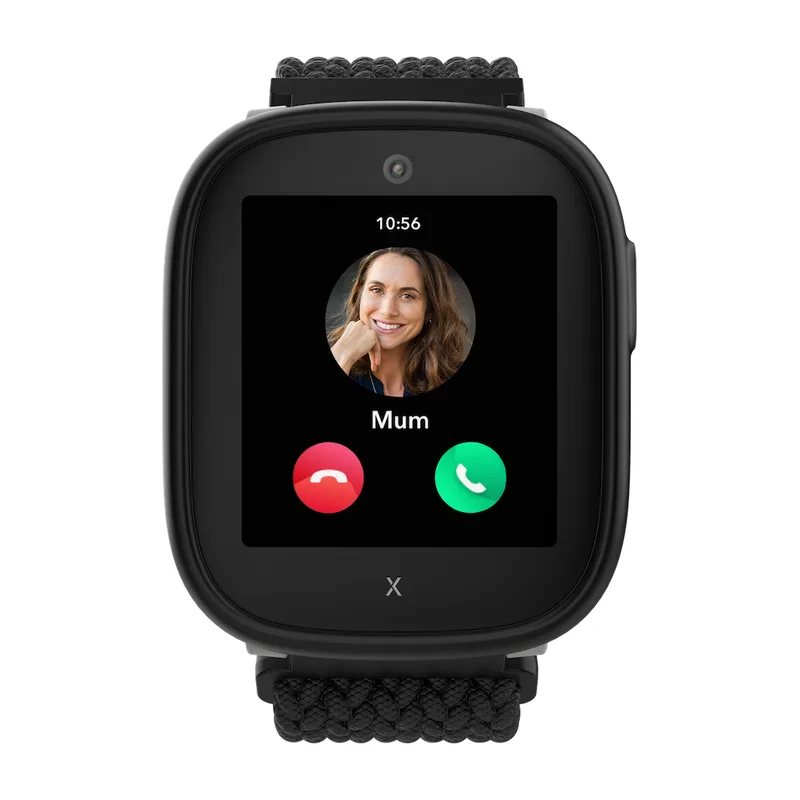
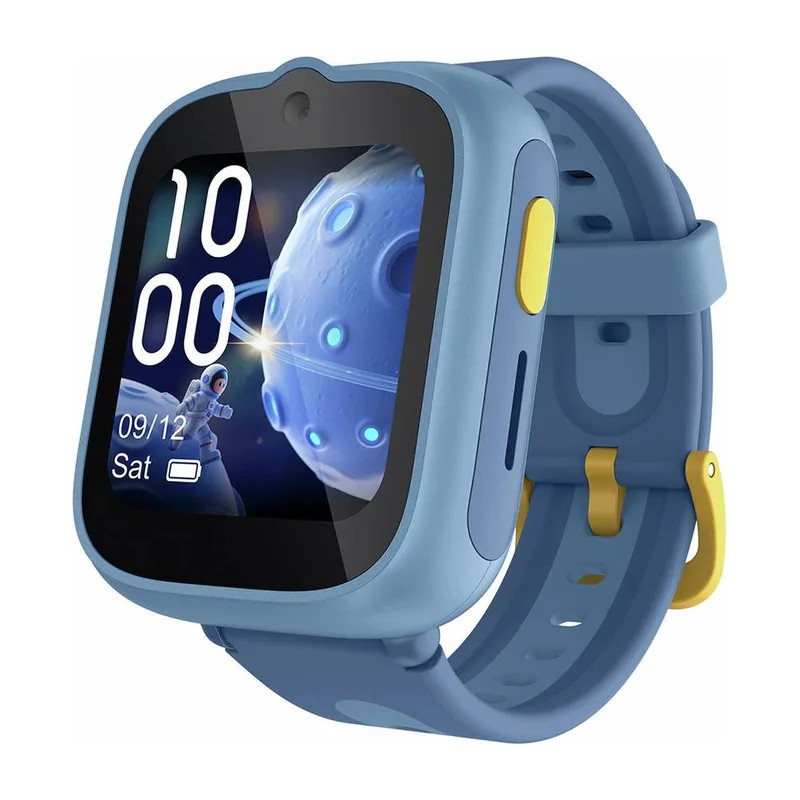
The two Xplora watches share an app, a plan and school features. The X6 Play adds a camera, video sharing and a sharper screen for £40 more. In SafeWise's review the XGO3 beat it on location in every setting outdoors, sent geofence alerts in about half the time and lasted about 15 hours longer per charge.
Unless the camera matters to your child, the XGO3 is the better safety device and costs less. The X6 Play makes sense when an older child wants to share photos and video with grandparents, and you accept a less dependable map in return.
Both run on the same Connect 12 Basic plan at £7.99 a month, so the running cost does not change your choice between them. Over two years the gap stays at the £40 you pay up front, and SafeWise's results suggest the cheaper watch is also the one more likely to show you the right street.
Where the MiniFinder Kids Watch fits
MiniFinder comes from personal alarms and pet trackers, and its Kids Watch reflects that: an SOS button, safe zones, voice calls and a three year warranty, with no camera, games or apps mentioned. It weighs 38 g, and both plans include global coverage and location sharing according to MiniFinder's plan table.
Without an independent review its location accuracy and battery are only manufacturer claims, which is why it ranks last. Its plans also cost more than Xplora's on paper, 120 euros a year for Basic against £95.88 a year for Xplora's plan, though the exchange rate on the day decides the real difference. For a family that wants a simple safety watch and values the long warranty, it is a reasonable choice; one published review could move it up at the next update.
It also differs from the others in where the reviews come from. The 14 reviews in MiniFinder's own shop average 4.79 out of 5, but they are largely from Nordic buyers and are collected by the maker itself, so they carry less weight than a reviewer who used the watch and reported results.
Looking after a kids watch so it lasts
Charging contacts collect dirt and sweat, so wipe them before charging. The MT48 uses a magnetic lead with a USB A plug, according to M3, and the X6 Play a watch specific magnetic connector, so keep the original cable; a lost charger can put a watch out of action for days.
Screen protection and straps wear first. M3 praised the X6 Play's screen protection, and Xplora UK sells replacement straps. Keep the box and receipt, and register the watch with the maker so the plan and guarantee are linked to it if it needs repair.
Plans need looking after too. Note when a 12 month contract ends, because Xplora's Connect 12 Basic plan has a minimum term and you may want to switch plans or watches when it runs out. On the MT48, keep the SIM's own account details with the watch so that a lost or broken watch does not leave a SIM paying for nothing.
Updates matter for security. Makers fix bugs and add features through the parent app and the watch firmware, so accept updates when they are offered. TCL says the MT48 follows ISO 27001 and ISO 27701, and the other makers do not name certifications on the pages we used, which is a fair question to ask them before buying.
Buying guide: choosing the right kids gps watch
A cheap watch on a contract can cost more than a dear one on a SIM of your choice
Kids GPS watches all need mobile data, and the plan usually costs more than the watch within two years. Xplora's watches come with a SIM preinstalled and the Connect 12 Basic plan at £7.99 a month on a 12 month contract, which adds £191.76 over two years. Garmin sells its own LTE plan for the Bounce 2 at £9.99 a month or £99 a year. MiniFinder bills its plans in euros, 120 euros a year for Basic.
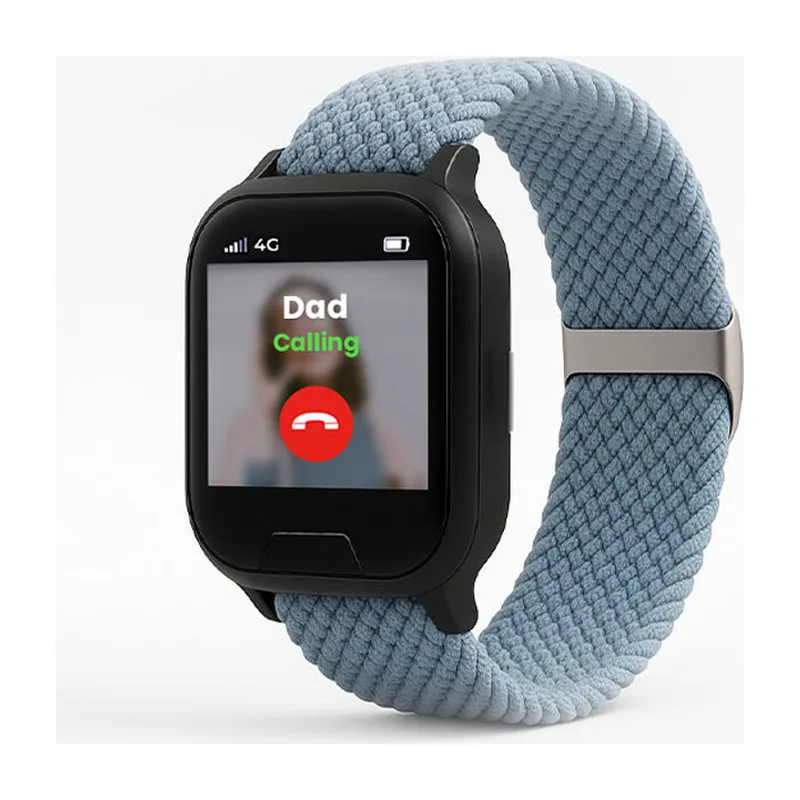
The TCL MT48 is the outlier. It takes a standard nano SIM from any network, so you can put it on a cheap data and calls SIM, add it to a family plan, or reuse a spare SIM. M3 listed that freedom among the watch's main advantages. The catch is that the watch arrives without a SIM, according to Argos, and you need to check that the network you choose supports 4G voice on a watch.
When you compare, add the watch price to 24 months of the plan you will actually use. On that basis the XGO3 comes to £330.76, the X6 Play £370.76 and the Bounce 2 £397.99, while the MT48 depends entirely on your SIM. Watch for minimum terms too: a 12 month contract on a watch a child loses in month three still has to be paid.
Look past the headline monthly figure as well. Xplora's plan includes unlimited data, unlimited UK minutes and EU roaming with no activation fee, which covers a family holiday in Spain or France. Garmin's annual £99 plan for the Bounce 2 works out cheaper per month than its £9.99 monthly option, so if you are sure the watch will be worn for a year, pay annually. MiniFinder's Basic plan includes global coverage, according to its plan table, which matters for families who travel further afield.
Location accuracy varies more between settings than between brands
Every watch here can show a child on a map, but the same watch can be spot on in a field and wrong by a street indoors. SafeWise measured this directly in 2026: the XGO3 was exact in an open field, about 20 feet off among obstacles and about 50 feet off indoors, while the X6 Play failed to update in the field and was about 100 feet off among obstacles. Both were about 50 feet off indoors.
Rural areas are a separate problem. TechRadar's reviewer found the Bounce 2 had good signal in town but sometimes could not locate his son in the countryside, which matters for families who live outside towns or holiday in the hills. M3 found the MT48's tracking reasonable in daily use, helped by dual band GPS that TCL says improves precision.
Treat the dot on the map as a neighbourhood rather than a doorstep. A watch is good at telling you a child reached school or the park, and less good at saying which house on a street. If you need to find a child quickly in a crowd, a phone call through the watch is usually faster than the map.
Indoor accuracy is the weak spot for all of them. GPS needs a view of the sky, so inside a school or shopping centre the watches fall back on wifi and mobile masts, which is why both Xplora watches were about 50 feet off indoors in SafeWise's review. The MT48 and MiniFinder Kids Watch also list wifi positioning, according to their makers, but no reviewer has published an indoor figure for either.
Geofence alerts are slower than parents expect
Safe zones send a notice when a child leaves or arrives, but not instantly. SafeWise timed about two minutes for the XGO3 and about four for the X6 Play, and noted that the smallest zone the Xplora app allows is 990 feet across, too large to fence a single garden or playground. Other makers do not publish their minimum zone size.
That delay is built in: watches check their position at intervals to save battery. MiniFinder, for example, quotes 48 hours of battery at a three minute interval, which implies that an alert can lag by a few minutes. For school runs and arrival notices, that is fine. For a toddler near a busy road, no watch replaces holding hands.
Set zones a little wider than the place itself and put the most important ones, home and school, first. Too many small zones produce a stream of notices that parents soon start ignoring.
Remember that a zone is only as good as the location behind it. A watch that is 100 feet off, as SafeWise found the X6 Play among obstacles, can send a false departure notice while the child is still inside the zone, or miss a real one. The watches with the steadiest positions in the reviews, the MT48 and the XGO3, are also the ones whose zone alerts you can trust most, which is part of why they lead this comparison.
Arrival notices can be as useful as departure ones. M3 used the MT48's zones for home and school and got a notice when the child came and went, which is often all a parent needs to know on a school day. The Bounce 2 includes GPS geofencing too, according to TechRadar.
Battery life on the box assumes a child who barely uses the watch
Advertised battery figures are measured at light use. Xplora quotes 48 hours for both its watches, yet SafeWise saw about 86 hours from the XGO3 and about 71 from the X6 Play with minimal use, while M3 sometimes charged the X6 Play every night with normal use. Garmin quotes up to two days for the Bounce 2, and TechRadar got just over a day.
Calls, video and frequent location checks drain the battery fastest. The MT48 is rated for up to 2.5 days of use, and M3 found that close to reality, though very active days needed a charge after one. The MiniFinder Kids Watch is rated for 48 hours at a three minute interval with a 600 mAh battery, smaller than the 900 mAh in the MT48 and Xplora watches.
Build charging into the evening routine regardless of the claim. A watch with a flat battery on a school morning shows no position at all, which defeats the reason for buying it. If your child often forgets, the XGO3's long runtime leaves the most margin.
Battery also ages. Lithium cells hold less charge after a year or two of daily cycles, so a watch that just lasts a day when new may need a midday top up later. Choosing a watch with a margin, like the XGO3 or MT48, gives more room for that decline than one that already needs nightly charging.
A low battery warning in the parent app is worth having. MiniFinder lists one in its plan table, and most apps show the battery level when you check the map. Glance at it in the evening and the morning, and you avoid the flat watch on the way to school.
Video calls are a feature for the child; voice calls are the one for you
Most of what makes a watch fun for the child is extra: cameras, video sharing and games. The X6 Play has a 5 MP camera that records and shares video, and the MT48 makes 4G video calls. The XGO3 and MiniFinder Kids Watch are voice only. For safety, the essentials are a clear two way voice call and an SOS button, and all five have calls.
Call quality differs in noisy places. SafeWise found the Xplora watches clear, but M3 had to lift the X6 Play to the ear when it was loud. TechRadar praised the Bounce 2's two way calls and bright AMOLED screen.
For a younger child, a simpler voice watch is often easier to manage than one with a camera and apps, and leaves less to distract in class. Older children may push for video and a camera, and that is where the MT48 and X6 Play earn their place.
Every extra feature also uses battery. The MT48 manages video calls and still came close to its 2.5 day rating in M3's use, while M3 sometimes had to charge the camera equipped X6 Play nightly. If the watch is mainly for safety, a voice only model like the XGO3 avoids that trade off altogether, and SafeWise's 86 hour result shows how far a simple watch can go between charges.
Voice messages are a useful middle ground. The MT48 supports them alongside calls and texts, according to TCL, and they let a child send a quick update without a live call in a noisy playground. Check that the app on your phone shows them clearly, because a message nobody hears is no help.
The best kids GPS watch is the one your child will actually wear
Every feature on this page depends on the watch being on the wrist. Reviewers who handed the watches to children noticed what made them keep it on: M3 found the MT48's games and AI image creator appealing to children, TechRadar's son liked the Bounce 2's bright screen and step challenges, and SafeWise noted that the Xplora watches lack video calling and a keyboard, which some older children expect.
Comfort and looks matter as much as features. The 26.5 g Bounce 2 is easy to forget about, while M3 found the 58 g X6 Play sat high and caught on thick sleeves. Let your child choose the colour where there is a choice, because a watch they picked is a watch they are more likely to wear. Xplora sells the XGO3 in three animal themed colourways and the X6 Play in black, blue and pink, and TCL offers the MT48 in four colours.
Agree the rules before the first day, and check your child's school policy on watches, since some schools ask for them to be silent or kept in a bag during lessons. Explain what the SOS button is for, when the watch should be charged and that it stays on during school trips. Children who understand why the watch is there treat it less like a toy and more like a key.
Parental controls decide whether the watch helps or distracts
All five let parents control who can call the watch. SafeWise confirmed that the Xplora watches block unknown numbers and that school mode worked. TCL's School Time Mode can be switched on from the parent app, and T3 rated the Bounce 2's parental controls as excellent, the strongest verdict on this point among the reviews.
Look for an SOS button that sends the position straight to a parent. The MT48 and MiniFinder Kids Watch both have one, according to their makers. Check also that the app lets you see location history, so you can look back at a route if something worries you.
Controls only work if parents use them. Spend time setting contacts, quiet hours and zones before the watch goes to school, and review them as the child gets older and wants more freedom.
Internet access is the line most parents draw. Xplora says its watches have no internet access, which keeps browsers and social media off the wrist, and the MT48 uses TCL's own app for contacts and school mode. TCL also says the MT48 uses age grouping filters for its AI image creator, a feature the other watches here do not offer.
Size and weight matter more on a six year old's wrist
Watch weights range from 26.5 g for the Bounce 2 without its strap to 58 g for the X6 Play. M3 noted that the MT48 is large on the smallest wrists and that the X6 Play sits high and catches on thick winter sleeves. The MiniFinder Kids Watch at 38 g fits wrists from 150 to 220 mm according to MiniFinder.
Water resistance is good across the board. The Xplora watches and the MT48 are IP68, the Bounce 2 is rated 5 ATM and the MiniFinder IPX7, so all survive rain and hand washing. For swimming, check the maker's guidance, because IP ratings are measured in fresh water at rest.
Guarantees are worth comparing for a device a child will drop. MiniFinder gives three years on the Kids Watch, while a guarantee period is not stated on the pages for the other four, and Xplora UK sells a one year warranty extension for £29.88.
Try the strap length before school starts. A watch that slides around on a thin wrist is more likely to be knocked off or taken off in class, and a strap that is too tight goes unworn. Replacement straps are sold for the Xplora watches, and MiniFinder states the wrist range for its Kids Watch.